



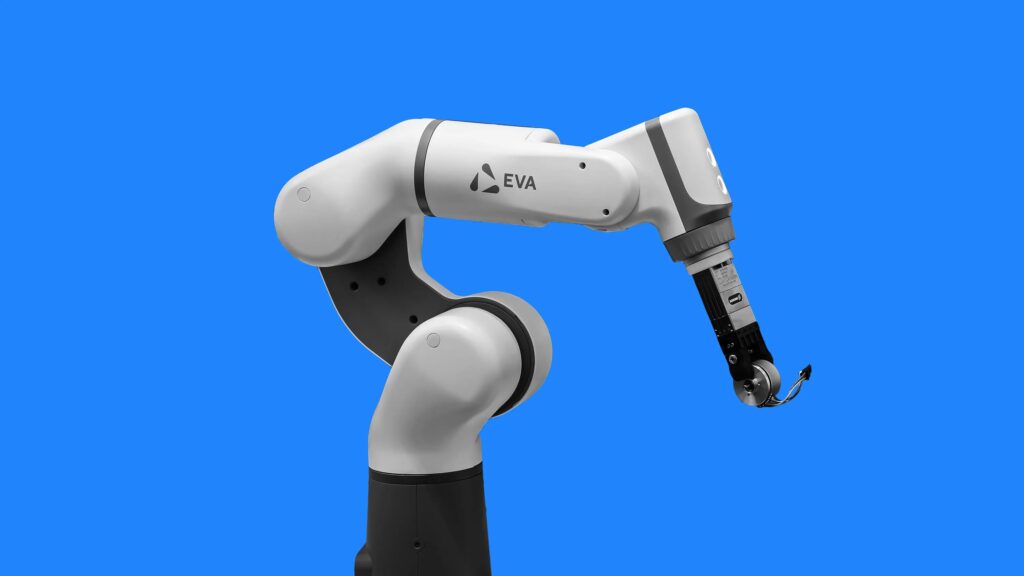

A robot robotic arm is a programmable mechanical device made of linked segments and joints. It performs precise tasks like picking, placing, assembling, or welding. Most models feature 4 to 6 degrees of freedom for full 3D movement.
The global robotic arm market reached $49.66 billion in 2026. It grew from $42.63 billion in 2025 at a 16.5% CAGR. Demand rises in automotive, electronics, and small-shop automation.
Key specs matter most: payload capacity, reach, repeatability under 0.1 mm for precision work, and power draw. Choose wrong and you waste money on fixes or downtime. A basic 6-axis arm handles 250g to 5kg loads. Industrial units manage 20kg+.
What Exactly Is a Robot Robotic Arm?
It forms a kinematic chain. Joints rotate or slide. The end effector grips or tools the part. A full robot includes mobility. A standalone arm stays fixed or mounts on a bench.
Base holds everything steady. Shoulder and elbow joints give reach. Wrist adds rotation. Gripper picks items. Simple anatomy explains 80% of failures when overlooked.
6 Main Types of Robot Robotic Arms – Pick the Right One
Six types dominate. Match geometry to your task to avoid redesign later.
- Cartesian: Moves in straight X-Y-Z lines. Ideal for 3D printing or CNC-style pick-and-place. High rigidity. Low cost under $300 for kits.
- SCARA: Fast horizontal moves. Great for assembly lines. Reaches 400-800mm. Handles 5-10kg at high speed.
- Articulated (6-axis): Human-like flexibility. Best for welding or complex paths. Most common in industry.
- Cylindrical: Combines rotation with vertical lift. Suited for machine tending.
- Spherical/Polar: Reaches in spherical coordinates. Less common today.
- Delta/Parallel: Ultra-fast for packaging. Three arms move a platform. Excels at 100+ picks per minute.
| Type | Best For | Payload | Speed | Cost Range (2026) |
|---|---|---|---|---|
| Cartesian | Precision linear tasks | 1-20kg | Medium | $200-$2k |
| SCARA | High-speed assembly | 2-10kg | Very high | $1k-$10k |
| Articulated | Complex 3D paths | 5-50kg+ | Medium | $500-$50k+ |
| Delta | Pick-and-place | 0.5-5kg | Highest | $800-$5k |
Key Components Breakdown – Skip These Buying Mistakes
Actuators drive motion. Servos offer cheap precision under 5kg. Steppers give torque but need drivers. Pneumatics suit heavy industrial use.
Controllers range from Arduino/ESP32 for DIY to PLCs for factories. End effectors include 2-finger grippers or vacuum cups. Quick-swap plates save time.
Sensors add feedback. Limit switches prevent crashes. Force sensors enable safe cobot use. Check payload before buying. A 250g-rated arm fails at 300g every time.
How to Choose and Buy a Robot Robotic Arm in 2026
Budget decides the tier. Under $200 gets Arduino kits for learning. $500-$1,500 buys desktop 6-axis like mechArm with 250g payload. Over $5k delivers industrial cobots with safety features.
Ask three questions. What payload and reach do you need? How fast must it cycle? Do you want open-source code or proprietary software? Desktop arms now ship with ROS2 support for easy integration.
Step-by-Step: Build Your Own Robot Robotic Arm (4-6 DOF)
Gather parts first. Four MG90S servos. ESP32 or Arduino Uno. 3D-printed links or laser-cut acrylic. M3 screws and nuts. Total cost stays under $150.
Print or cut the base and arm segments. Mount servos with brackets. Wire power separately from logic to stop brownouts. Test each joint alone before full assembly.
Use free kinematics libraries like IKFast. Simulate motion first to catch binding. One common fix: add counterweights to boost effective payload by 30%.

Programming Your Robot Robotic Arm – From Basic Moves to Vision
Start simple. Arduino code sends servo angles directly. Example loop moves gripper open-close in under 10 lines.
Move to inverse kinematics for point-to-point paths. Libraries like RoboDK or custom Python scripts run on the controller. Add a webcam module for object detection via OpenCV. The arm then picks colored blocks autonomously.
Ready code exists for popular kits. Communities share GitHub repos with teach-pendant modes. Most users reach basic autonomy in one weekend.
Troubleshooting the Top 10 Robot Robotic Arm Problems
Servo jitter? Check power supply voltage drop. Inaccurate positioning? Recalibrate home position and rerun kinematics solver.
Overheating hits after 30 minutes of heavy use. Add heatsinks or pause cycles. Loose joints cause drift. Tighten screws every 500 cycles.
Payload failure? Reduce speed 20% or shorten arm length. Software crashes on ESP32? Increase heap size in code. Follow a weekly maintenance checklist for 10,000+ cycles.
Real-World Applications and Case Studies
Small shops use arms for 3D-print part sorting. One setup cuts handling time by 70%. Labs automate pipetting with SCARA arms. Error rates drop below 0.1%.
Automotive lines deploy articulated arms for welding. ROI appears in 6-12 months via labor savings. Cobots work safely beside people. No fences needed.
Future-Proofing Your Setup in 2026
Desktop arms now integrate vision-language models for natural commands. Add a $50 camera module. Upgrade path stays simple with modular controllers.
ROS2 and edge AI boards handle complex tasks without cloud. Communities release free STL files weekly. Track updates on GitHub for your model.
Conclusion and Free Resources
This guide covers the full cycle from selection to daily use. You now have exact specs, build lists, code starters, and fixes that generic pages skip.
Download the comparison spreadsheet, troubleshooting flowchart, and starter code pack via the form at the end. Questions on payload or Arduino limits? Check the FAQ below.
F






[…] robotics is no longer limited to research labs. In 2026, multiple companies are moving toward real-world deployment, especially in factories and logistics. Recent updates show […]
[…] cases, and deployment scale. That shift explains why warehouse robotics, logistics automation, and embodied AI platforms dominate funding […]
[…] GPAI providers face stricter transparency and risk evaluation requirements […]
[…] Unlike plastic desktop printers, metal systems require controlled environments. Oxygen levels, heat distribution, and powder contamination directly affect final part quality. […]