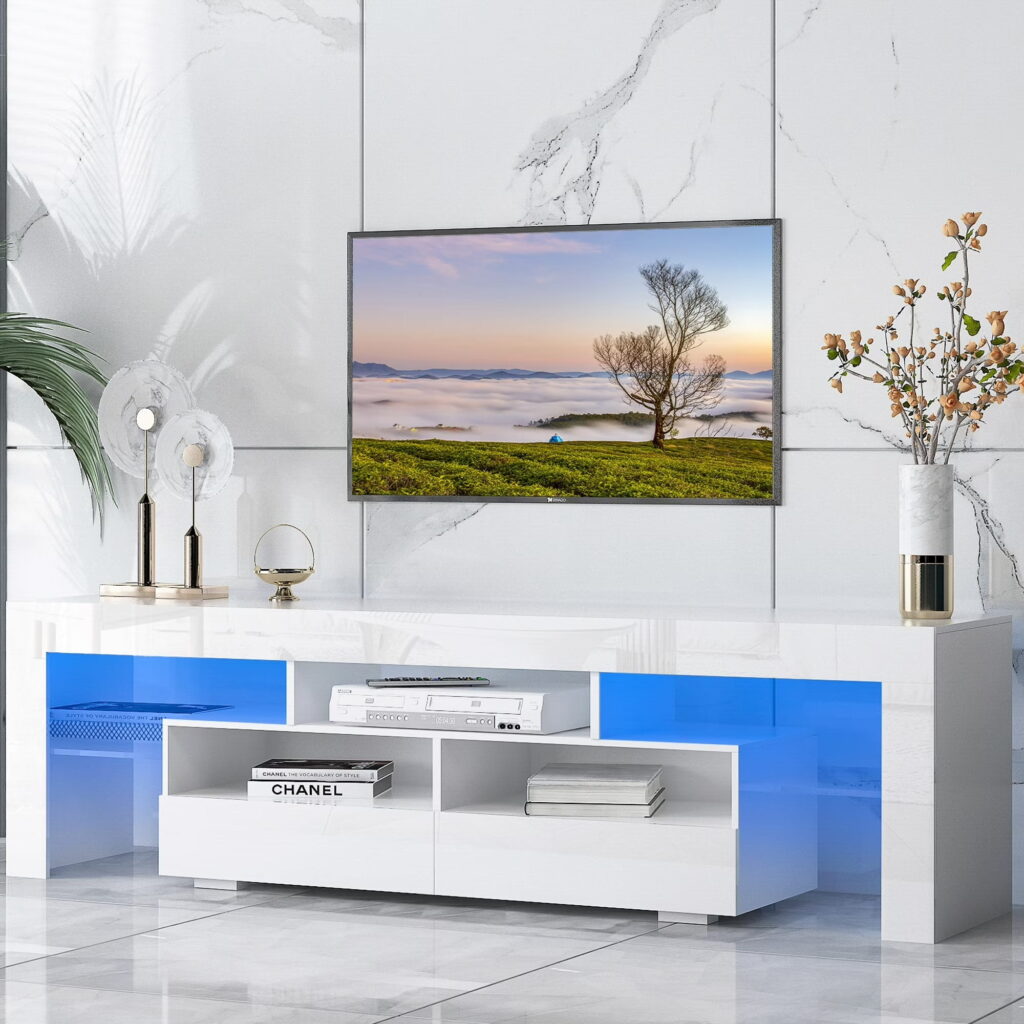

A white entertainment center solves three problems at once: TV placement, storage, and visual balance.
But most buyers make mistakes in size, layout, or storage—leading to clutter or poor fit.
Here’s what actually matters before you buy:
- The unit should be at least 2–6 inches wider than your TV on each side
- Storage should match your devices, not just look clean
- Cable management is not optional if you use multiple devices
- Style must match the room, or the white finish will look out of place
- Fireplace units add function but reduce storage space
These points decide whether your setup works or becomes frustrating. Now let’s break each one down in a practical way.
Start with the Right Size for Your TV and Room
Size is the first filter. Not style. Not price.
If your TV is 65 inches, your entertainment center should be at least 57–65 inches wide, ideally more.
For 75-inch TVs, aim for 70 inches or wider.
This prevents overhang and keeps the setup stable.
Now connect that to your room.
A large unit in a small room creates visual weight.
A small unit under a big TV looks incomplete.
Here’s a quick reference:
- Small rooms: 48–60 inch units
- Medium rooms: 60–72 inch units
- Large rooms: 72+ inch or full wall units
This is where most buyers pause—and start thinking about style.
Choose the Right Style for the Room
Style is not just design. It affects function and space usage.
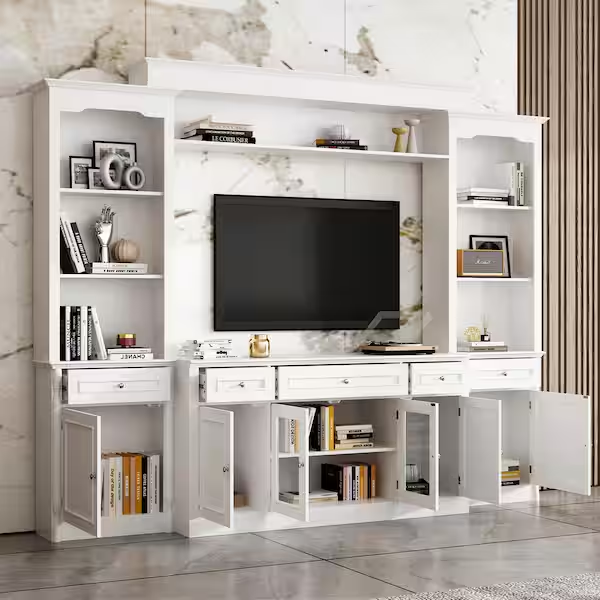
A wall unit entertainment center works best if you need maximum storage.
It frames the TV and adds vertical shelving.
A corner white entertainment center fits tight layouts.
It uses space that is often wasted.
A barn-door style adds texture.
It also hides clutter quickly, which is useful in family rooms.
A fireplace entertainment center adds a focal point.
But it reduces available storage and requires power access.
A modern white media console keeps things minimal.
Best for smaller spaces or clean interiors.
This choice should follow your room constraints—not trends.
Storage Features That Actually Matter
Storage is where functionality either works or fails.
Most users underestimate how much storage they need.
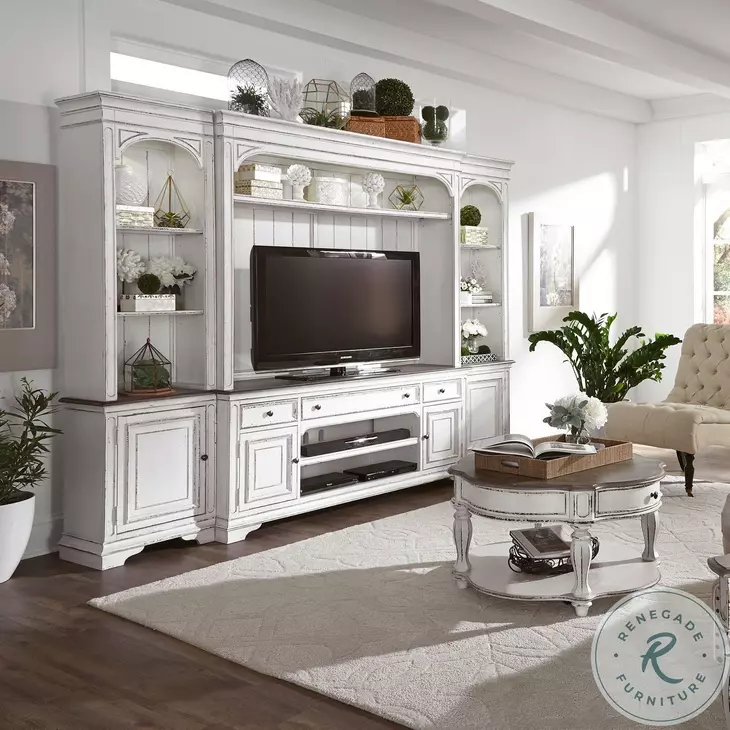
A good setup includes:
- Closed cabinets for clutter (remotes, cables, accessories)
- Open shelves for consoles and routers
- Drawers for small items
If you use multiple devices like gaming consoles or streaming boxes, airflow matters.
Devices generate heat.
Closed cabinets without ventilation can reduce device lifespan.
That’s why open or ventilated shelving is important.
Now that storage is clear, the next issue shows up quickly—cables.
Cable Management and Device Setup
Cable clutter ruins even the best-looking setup.
A proper entertainment center includes:
- Rear cable cutouts
- Built-in wire channels
- Enough depth for plugs and adapters
Without these, cables bend or tangle behind the unit.
According to a study by the Consumer Technology Association, the average household has 4–6 connected entertainment devices.
That means cable planning is not optional anymore.
If you use a soundbar, check shelf height.
If you use gaming consoles, check width and ventilation.
Now let’s talk about durability—because white finishes are not all equal.
Material and Finish: What Holds Up Best
White entertainment centers look similar online.
But materials vary a lot.
Common options include:
- Engineered wood (MDF/particleboard): affordable, smooth finish
- Solid wood: durable, heavier, more expensive
- Composite wood: balance between cost and durability
The finish also matters.
Matte white hides fingerprints better.
Glossy white looks modern but shows dust and smudges.
If you have kids or pets, durability becomes critical.
This connects directly to long-term use—something many buyers overlook.
What to Check Before Buying
Before finalizing, check these practical details:
- Assembly complexity: some units take 2–4 hours
- Weight capacity: especially for larger TVs
- Anti-tip safety: important for households with children
- Fireplace specs (if included): heating capacity and energy use
For example, electric fireplace units typically heat up to 400 square feet.
Anything beyond that is mostly decorative.
These small checks prevent major frustration later.
Now let’s clear a common confusion.
White Entertainment Center vs White TV Stand
These are not the same.
A TV stand is compact and minimal.
It usually offers limited storage.
A white entertainment center is larger.
It includes shelving, cabinets, and sometimes vertical extensions.
If you only need a surface for your TV, a stand works.
If you need organization and presence, go for an entertainment center.
This distinction helps you avoid overbuying—or underbuying.
Best Choice by Room Type
Your room decides the right type.
- Small apartment: corner or compact unit
- Family room: large unit with closed storage
- Modern living room: clean, low-profile console
- Cozy space: fireplace unit for warmth and focus
White works best in spaces that need brightness.
It reflects light and makes rooms feel larger.
This is one reason it remains popular in interior design.
According to Wikipedia, white is widely used in design to create a sense of space and simplicity.
Now let’s simplify everything into a quick checklist.
Buying Checklist
Before you buy, confirm:
- TV size compatibility
- Room width and layout
- Storage requirements
- Cable management features
- Material durability
- Assembly difficulty
- Style match with room
- Fireplace function (if needed)
If one of these is missing, you’ll notice it after setup.
Frequently Asked Questions
What size white entertainment center do I need for a 65-inch TV?
At least 57–65 inches wide, but wider is better for balance.
Is a fireplace entertainment center practical?
Yes, for small to medium rooms. Limited heating range though.
Which style is best for small rooms?
Corner units or low-profile consoles.
Does white furniture get dirty easily?
Glossy finishes show more marks. Matte finishes are easier to maintain.
Visual Examples
Final Take
A white entertainment center is not just furniture.
It’s a functional system for your entire media setup.
If size, storage, and cable management are correct, everything else becomes easier.
Most problems come from ignoring these basics.
Get them right, and the setup works for years without frustration.White Entertainment Center: Size, Storage & Style Guide