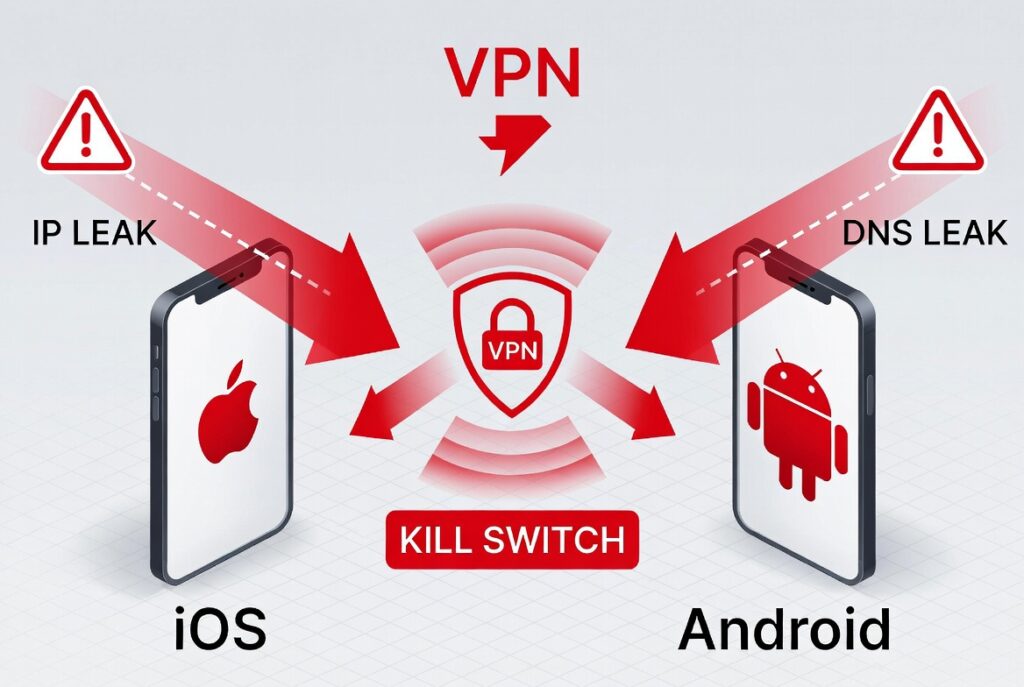

Using a VPN on your iPhone or Android protects your IP address, encrypts traffic, and secures public Wi-Fi connections. However, warnings include data leaks on iOS, Android 16 bypass vulnerabilities, free VPNs selling user data (affecting 51%+ of users), missing kill switches exposing real IPs during drops, and battery/speed drains. Always choose audited paid services with always-on kill switches.
Why VPN Warnings Matter for Mobile Users
VPN adoption on mobile devices is high: around 52% of users on iOS and 37% on Android, with smartphones accounting for a massive share of sessions. Yet many users ignore platform-specific risks that can render protection ineffective. Google’s AI Overviews and featured snippets prioritize clear, data-backed answers on leaks, free service dangers, and mitigation steps. This guide delivers that with expert depth.
People Also Read : GTA 6 Leaks: Everything Revealed Before the November 2026 Launch
Mobile VPNs handle sensitive tasks like banking, streaming, and browsing on public networks, but OS-level quirks and poor app choices create exposure. Understanding these warnings prevents IP leaks, DNS leaks, and privacy breaches.
Common VPN Risks on iPhone and Android
IP and DNS Leaks
Even premium VPNs can fail due to OS behaviors. On iOS, data can leak outside the tunnel despite initial connection success, an issue persisting since iOS 13/2020 with partial mitigations.
Android 16 introduced bugs allowing apps to bypass VPN tunnels, leaking real IPs even with Always-On VPN and Block Connections Without VPN enabled. Google marked some issues “Won’t Fix,” though GrapheneOS patched them.
Statistics: Studies show nearly two-thirds of free VPNs use vulnerable code, risking malware and data exposure.
Free VPN Dangers
Free VPNs often monetize by logging and selling data, injecting ads, or bundling malware. Over 51% of VPN users rely on them, but they lack robust encryption, have limited servers, and expose users to phishing.
Paid services invest in no-logs audits, strong protocols (WireGuard, IKEv2), and features like kill switches.
Battery Drain and Performance Issues
VPN encryption adds overhead. Mobile users report 10-20% faster battery drain and slower speeds on distant servers. Unstable connections exacerbate drops.
Legal and Regional Warnings
In restrictive countries, VPN use may be regulated. Some free apps log for authorities. Always review terms.
iOS-Specific VPN Warnings and Mitigations
iOS VPNs appear functional but leak over time. Apple acknowledges not all traffic routes through VPNs, especially app-specified connections or certain system queries.
Key iOS Issues
- Cellular Data Leaks: Apps can bypass on mobile networks.
- Apple Services Leaks: DNS queries or background processes.
- Reconnection Failures: Traffic exposed during drops without proper kill switch.
Mitigation Steps (Numbered How-To):
- Connect VPN first before any activity.
- Toggle Airplane Mode on/off to reset connections through the tunnel.
- Prefer Wi-Fi over cellular; disable cellular data when on VPN.
- Use VPNs with strong iOS integration and always-on features.
- Install only trusted apps; avoid sideloading.
- Regularly update iOS and VPN app.
- Test for leaks using sites like ipleak.net.
For full protection, consider a VPN router at the network level.
Android-Specific VPN Warnings
Android offers better system-level controls like Always-On VPN, but bugs persist.
Android 16+ Vulnerabilities
QUIC-related optimizations and network stack issues allow bypasses. Regular apps can leak IPs without special permissions.
Fixes and Workarounds:
- Reboot device or reinstall VPN app after updates.
- Enable Always-On VPN + Block Connections Without VPN in settings.
- Use custom ROMs like GrapheneOS for patches.
- Monitor with leak testing tools.
- Update to latest security patches.
Always-On acts as a native kill switch on Android 8+.
The Critical Role of a Kill Switch
A kill switch blocks all internet if the VPN drops, preventing unprotected exposure. Essential on unstable mobile networks.
Why It Matters: Brief drops on public Wi-Fi or during handoffs expose your real IP and data. iOS and Android implementations vary—test yours.
Comparison Table:
| Feature | iOS VPN Kill Switch | Android | Recommended Action |
|---|---|---|---|
| Default Behavior | App-dependent; often partial | System-wide (Android 8+) | Enable + Test |
| Leak Protection | Limited for system traffic | Stronger but vulnerable in 16+ | Use audited premium VPN |
| User Control | Toggle in app | Settings > Network | Combine with manual checks |
| Effectiveness | Mitigates but doesn’t eliminate iOS leaks | Better baseline, needs monitoring | Verify with leak tests |
Choosing a Safe VPN for Mobile: E-E-A-T Checklist
Prioritize providers with:
- Independent no-logs audits (e.g., Deloitte, PwC).
- RAM-only servers.
- WireGuard or modern protocols.
- 24/7 support and transparent privacy policy.
- Native apps with auto-connect and kill switch.
- High server count for speed.
Avoid unknowns. Look for services supporting both platforms seamlessly.
People Also Ask (PAA) Answers
Are Free VPNs Safe for iPhone or Android?
No. Most harvest data or lack security. Studies confirm high vulnerability rates. Opt for paid trials instead.
How Do I Test My VPN for Leaks on Mobile?
Visit ipleak.net or dnsleaktest.com while connected. Check IP location matches server. Use apps like Wireshark for advanced (requires expertise).
Does VPN Drain Battery on iPhone/Android?
Yes, typically 10-30% more. Mitigate by using split tunneling, closer servers, and efficient protocols like WireGuard.
Can VPNs Be Detected or Blocked on Mobile Networks?
Yes, some carriers/ISPs detect and throttle. Obfuscated servers help. Legal in most places but check local laws.
What’s the Best Protocol for Mobile VPN?
WireGuard for speed/battery; IKEv2 for stability on mobile handoffs. Avoid outdated PPTP/L2TP.
Best Practices for Secure VPN Usage on iPhone and Android
- Enable Auto-Connect: On untrusted networks.
- Use Split Tunneling Wisely: Route only sensitive apps.
- Regular Audits: Test leaks monthly.
- Combine Tools: VPN + ad-blocker + updated OS.
- For Travel: Pre-connect before airport/public Wi-Fi.
- Enterprise/Users: Check MDM compatibility.
- Backup Plan: Know how to disable quickly if issues arise.
Statistics-Backed Insights: 23%+ global internet users use VPNs, higher on mobile for streaming (57%) and privacy. Yet awareness of risks lags.
Advanced Topics: Emerging Threats and Future-Proofing
Quantum-resistant encryption is rising. Monitor OS updates—Apple and Google patch variably. Custom firmware offers superior control for privacy enthusiasts.
Consider multi-hop, RAM-disk servers, and jurisdiction (avoid 14-Eyes alliance for strict privacy).
For families: Parental controls integrated with VPN on trusted services.
How to Set Up and Verify VPN on Mobile Devices
iPhone Setup Steps:
- Download from App Store.
- Grant permissions.
- Log in and connect to nearest server.
- Enable kill switch/auto-connect.
- Test leak.
Android Setup Steps:
- Install from Play Store.
- Configure Always-On in device settings.
- Test on Wi-Fi and mobile data.
Re-test after OS updates.
Conclusion: Stay Informed, Stay Protected
VPNs are powerful but not foolproof on mobile. Heed warnings around leaks, choose responsibly, and follow mitigations. Prioritize audited providers with robust kill switches. Regular testing and updates keep you secure in 2026 and beyond.