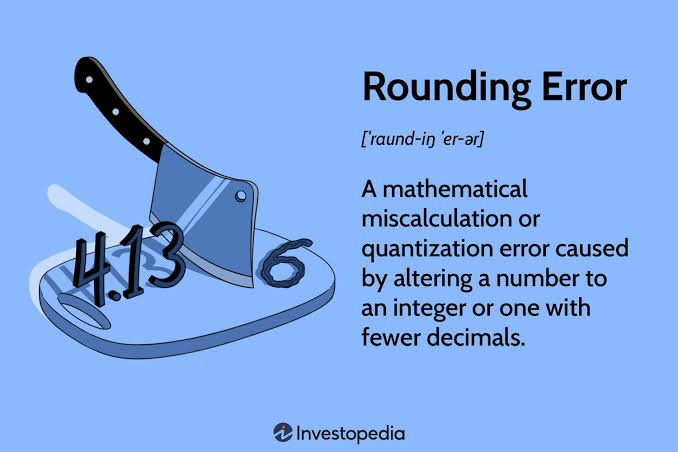

If a question says “Type an integer or a decimal. Do not round,” enter the exact result of your calculation without changing its value. If the answer is a whole number, type the integer. If it is a decimal, enter the decimal exactly as calculated instead of rounding it. Following this instruction helps ensure your answer matches what online homework systems expect.
What Does “Type an Integer or a Decimal. Do Not Round” Mean?
The instruction contains three separate requirements.
First, your answer must be either an integer or a decimal.
Second, if your calculation produces a decimal value, you should enter the exact decimal instead of converting it into a rounded number.
Third, you should not estimate the result unless the question specifically asks you to round.
People Also Read : Sports Physicals Near Me: Complete Guide, Affordable & School-Approved Exams
Let’s understand each part.
What Is an Integer?
An integer is a whole number.
Examples include:
- 7
- 0
- -15
- 248
Integers never contain decimal points or fractions.
If your calculation results in a whole number, simply enter that number.
What Is a Decimal?
A decimal represents a number that includes a decimal point.
Examples include:
- 3.5
- 0.75
- 12.125
- -4.8
Decimals may end after a few digits or continue forever as repeating decimals.
If the answer contains a decimal, enter it exactly as instructed.
For more about decimal numbers, see the Wikipedia article on Decimal:
https://en.wikipedia.org/wiki/Decimal
What Does “Do Not Round” Actually Mean?
This is the most important part of the instruction.
Rounding changes the original value.
For example:
Exact answer:
8 ÷ 3 = 2.666666…
Rounded answer:
2.67
These two numbers are not identical.
Many homework systems expect the exact decimal instead of the rounded value.
If the question does not specify rounding, always leave the number in its original decimal form.
People Also Read : King Abdullah Sports City: Jeddah’s Iconic Stadium & Facilities
Where Will You See This Instruction?
This instruction commonly appears in:
- Algebra assignments
- Statistics homework
- Probability questions
- Business mathematics
- Finance courses
- Online learning platforms
- Digital exams
- Homework websites
Platforms like MyLab, WebAssign, ALEKS, and similar systems often use automatic grading. They compare your answer with the stored solution.
That is why reading the instruction carefully matters just as much as solving the problem.
How to Enter Your Answer Correctly
If the Answer Is an Integer
Simply type the whole number.
Example:
25 ÷ 5 = 5
Correct answer:
5
If the Answer Is a Decimal
Enter the exact decimal shown by your calculation.
Example:
9 ÷ 4 = 2.25
Correct answer:
2.25
If the Answer Is a Fraction
Convert the fraction into a decimal first.
Example:
3/8
Decimal:
0.375
Enter:
0.375
What About Repeating Decimals?
Some decimals never end.
Example:
1 ÷ 3
Result:
0.333333…
Many homework systems accept several decimal places or specify how many digits to enter.
If no instructions are provided, use the calculator’s displayed precision or your instructor’s guidance.
Examples of Correct and Incorrect Answers
| Exact Result | Incorrect | Correct |
|---|---|---|
| 4 ÷ 3 | 1.33 | 1.333333… |
| 22 ÷ 6 | 3.67 | 3.666666… |
| 18 ÷ 4 | 5 | 4.5 |
| 7 ÷ 2 | 3.50 | 3.5 |
Notice that even small rounding changes can produce an incorrect submission.
Common Mistakes Students Make
Rounding Automatically
Many calculators display rounded values by default.
Always verify whether the question allows rounding.
Typing a Fraction
If the instructions ask for a decimal, do not submit a fraction.
Entering Too Few Decimal Places
Stopping after one or two decimal places may reduce accuracy.
Ignoring the Instructions
Some students focus only on solving the equation.
Always read the final instruction before submitting.
“Do Not Round” vs. “Round to the Nearest”
These instructions are completely different.
| Do Not Round | Round to the Nearest |
|---|---|
| Keep the exact value | Change the value according to the requested place |
| Example: 5.6789 | Example: 5.68 (nearest hundredth) |
Never assume rounding is required unless the question specifically says so.
What If My Calculator Shows Many Decimal Places?
Modern scientific calculators display between 10 and 15 decimal digits.
For repeating decimals, enter as many digits as your instructor or homework platform requires.
If the platform specifies four decimal places, follow that instruction.
If it says “Do Not Round,” avoid shortening the value unless the system provides additional guidance.
Why Exact Answers Matter
Educational software checks answers electronically.
According to the National Center for Education Statistics (NCES), millions of students now complete assignments through digital learning systems every year.
Because grading is automated, exact numerical input is often required.
Even a correctly solved problem may receive no credit if the entered value does not match the expected precision.
Image Suggestion #2: Side-by-side comparison showing Exact Decimal vs. Rounded Decimal with green check marks for correct entries and red crosses for rounded answers.
Frequently Asked Questions
Can I submit a fraction?
Only if the question allows fractions.
If it asks for a decimal, convert the fraction first.
Should I round repeating decimals?
No.
Only round when the instructions explicitly tell you to.
How many decimal places should I type?
Follow the question instructions.
If no limit is given, enter sufficient digits from your calculator without intentionally rounding.
Why was my answer marked wrong?
Common reasons include:
- You rounded the answer.
- You entered a fraction instead of a decimal.
- You used too few decimal places.
- You typed the number incorrectly.
Can I use scientific notation?
Only if the assignment specifically allows it.
Quick Rules Before You Submit
- Read every instruction carefully.
- Enter an integer if the answer is a whole number.
- Convert fractions into decimals when required.
- Do not round unless the question tells you to.
- Double-check every decimal digit before submitting.
Final Takeaway
The instruction “Type an integer or a decimal. Do not round.” is straightforward, but it is also one of the easiest instructions to overlook.
Your goal is to enter the exact value that your calculation produces. If the result is a whole number, type the integer. If it is a decimal, enter the decimal without changing its value through rounding.
Following this simple rule helps you avoid unnecessary grading errors and ensures your answer matches what online homework systems expect.